|
Crypto AES_GCM_IV_Reuse 简单的分组加密
exp: from binascii import unhexlify
# Given data
known_plaintext = "The flag is hidden somewhere in this encrypted system."
known_ciphertext_hex = "b7eb5c9e8ea16f3dec89b6dfb65670343efe2ea88e0e88c490da73287c86e8ebf375ea1194b0d8b14f8b6329a44f396683f22cf8adf8"
flag_ciphertext_hex = "85ef58d9938a4d1793a993a0ac0c612368cf3fa8be07d9dd9f8c737d299cd9adb76fdc1187b6c3a00c866a20"
# Convert hex to bytes
known_ciphertext = unhexlify(known_ciphertext_hex)
flag_ciphertext = unhexlify(flag_ciphertext_hex)
# The known plaintext needs to be encoded to bytes
known_plaintext_bytes = known_plaintext.encode()
# XOR operation between the two ciphertexts
xor_ciphertexts = bytes(a ^ b for a, b in zip(known_ciphertext, flag_ciphertext))
# Recover the flag by XORing with known plaintext
flag_bytes = bytes(a ^ b for a, b in zip(xor_ciphertexts, known_plaintext_bytes[:len(flag_ciphertext)]))
print("Recovered flag:", flag_bytes.decode())
#Recovered flag: flag{GCM_IV_r3us3_1s_d4ng3r0us_f0r_s3cur1ty}
rsa-dl_leak 显然是d的高位泄露
exp如下: from Crypto.Util.number import long_to_bytes, inverse
import math
import sys
# Given values
n = 143504495074135116523479572513193257538457891976052298438652079929596651523432364937341930982173023552175436173885654930971376970322922498317976493562072926136659852344920009858340197366796444840464302446464493305526983923226244799894266646253468068881999233902997176323684443197642773123213917372573050601477
c = 141699518880360825234198786612952695897842876092920232629929387949988050288276438446103693342179727296549008517932766734449401585097483656759727472217476111942285691988125304733806468920104615795505322633807031565453083413471250166739315942515829249512300243607424590170257225854237018813544527796454663165076
dl = 1761714636451980705225596515441824697034096304822566643697981898035887055658807020442662924585355268098963915429014997296853529408546333631721472245329506038801
e = 65537
m = 530
# Precompute 2^530
two_to_530 = 1 << m
# Iterate over all possible k in [1, e-1]
for k in range(1, e):
# Compute approximate d from k*n/e
d_approx = (k * n + 1) // e # Adding 1 to handle integer division properly
# Compute difference between approx d and known dl
diff = d_approx - dl
if diff < 0:
continue
# Estimate d_high
candidate_d_high = diff // two_to_530
# Check nearby values of d_high (reduced range for efficiency)
for d_high in range(max(0, candidate_d_high - 10), candidate_d_high + 11):
d = dl + d_high * two_to_530
# Check divisibility condition
if (e * d - 1) % k != 0:
continue
# Compute phi(n)
phi = (e * d - 1) // k
# Compute s = p + q
s = n + 1 - phi
# Check if s^2 - 4n is a perfect square
delta = s * s - 4 * n
if delta < 0:
continue
root = math.isqrt(delta)
if root * root != delta:
continue
# Recover p and q
p = (s + root) // 2
q = (s - root) // 2
# Verify factorization
if p * q == n:
# Compute private exponent
d_real = inverse(e, phi)
# Decrypt the message
m = pow(c, d_real, n)
print("Found flag:", long_to_bytes(m).decode())
sys.exit(0)
print("Failed to find the flag.")
#Found flag: Res0lv1ng_the_c0mpos1te_numb3r
套上flag{}即可 多重Caesar密码 拷打AI即可
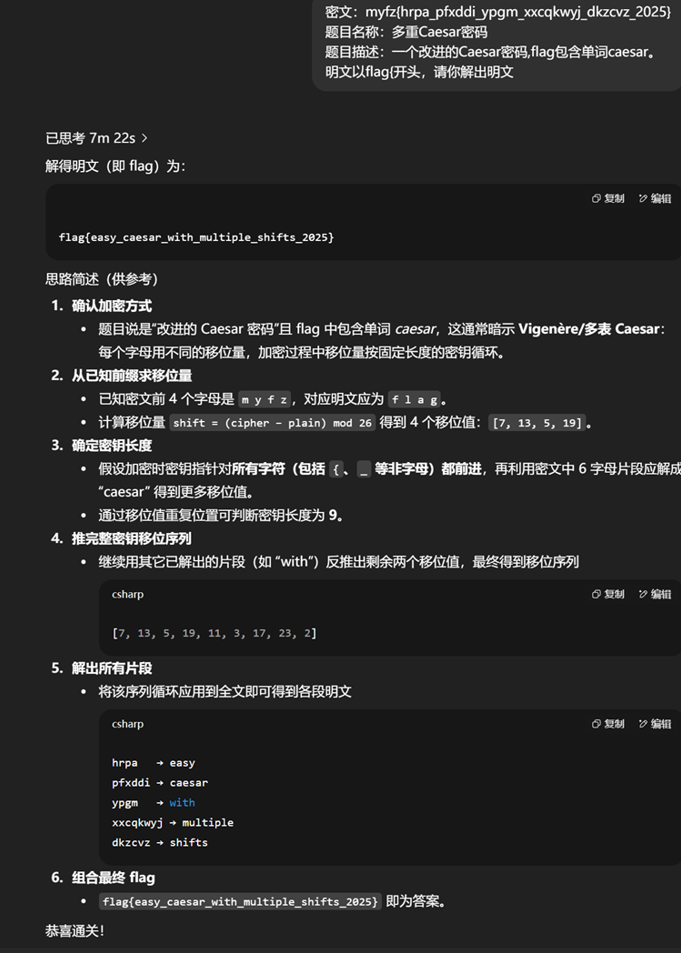 flag{easy_caesar_with_multiple_shifts_2025} Misc derderjia 打开流量包,有加密的tls流量,发现http传输的数据文件
提取一下发现tls解密日志  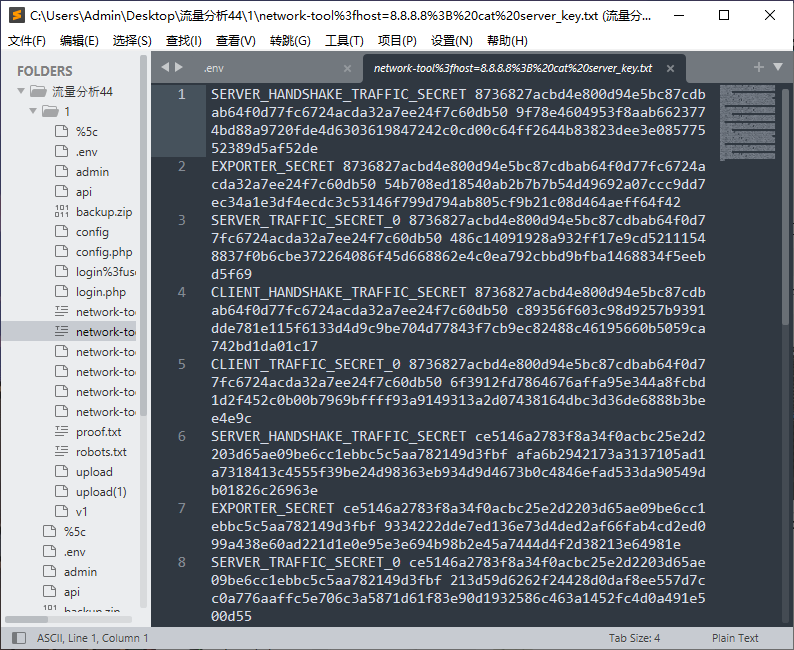
导入日志解密: 提取出压缩包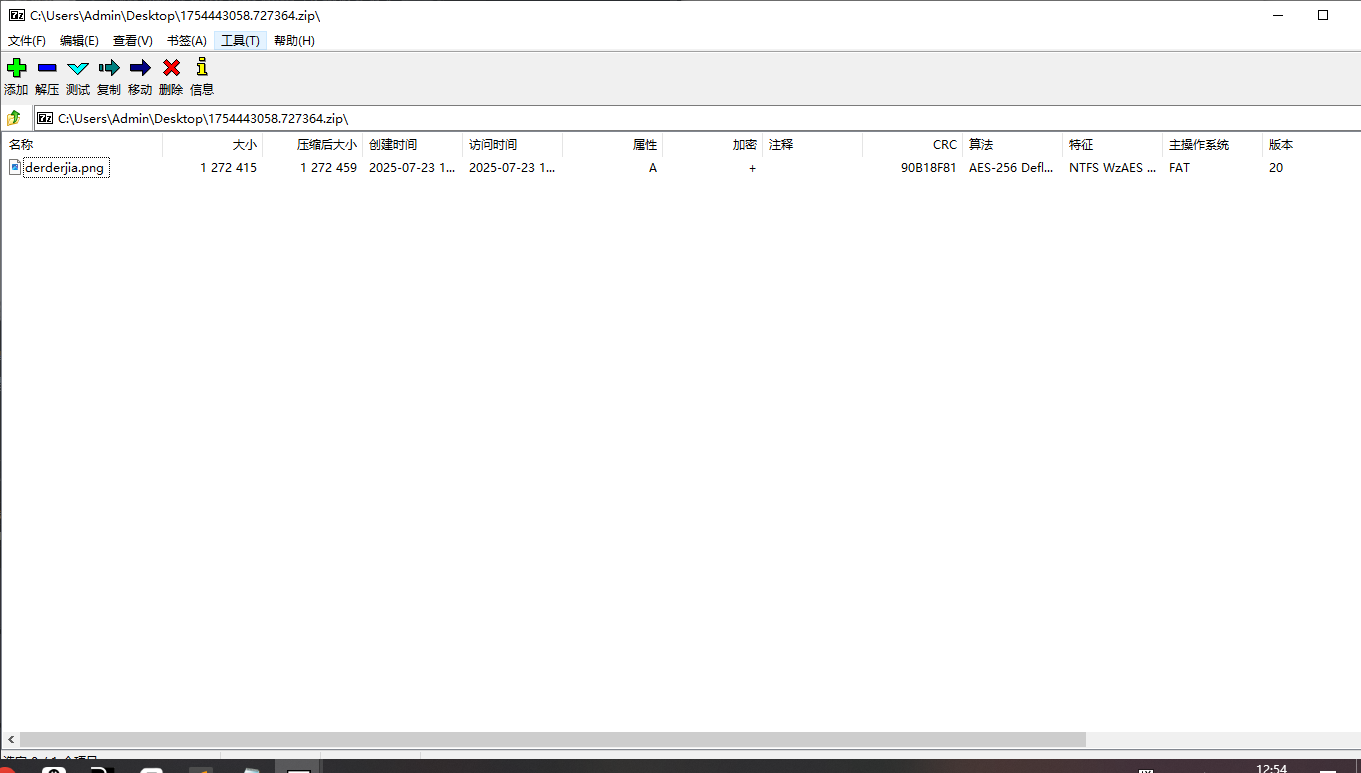 010打开流量包  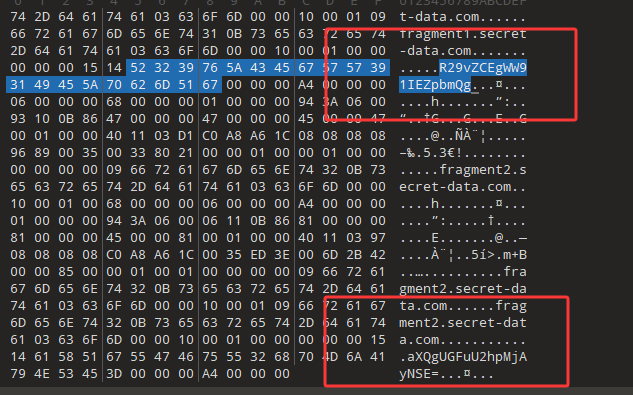
可以发现两处base64,解码得到Good! You Find it PanShi2025!
密码PanShi2025!
得到的图片修改宽高即可 
easy_misc 打开附件给了压缩包和二维码图片,二维码补全扫码是假的flag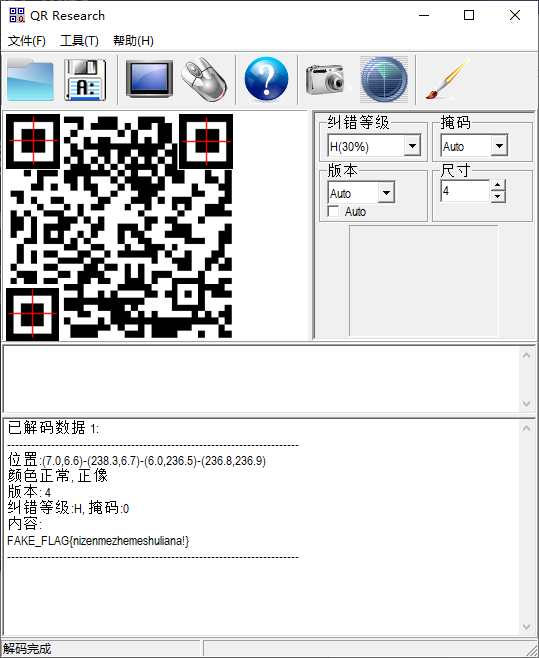 
010打开二维码图片
发现有压缩包 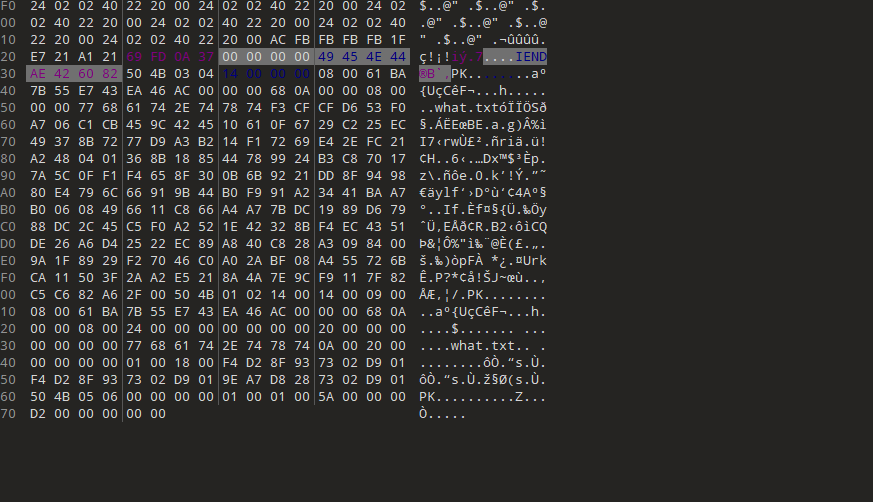
提取出来打开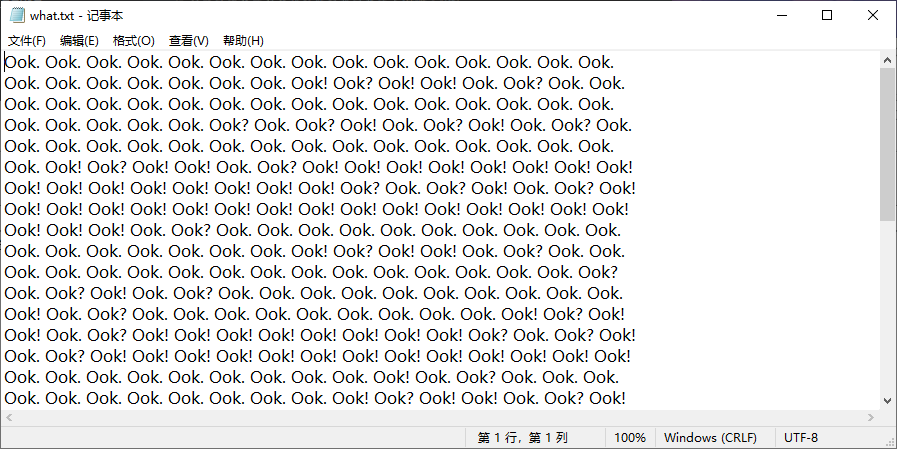 是ook编码,解码得到flag压缩包密码
 
打开压缩包就得到了flag
flag{3088eb0b-6e6b-11ed-9a10-145afc243ea2} ModelUnguilty 根据提示,需要理解并利用min_df = 10这一关键参数: vectorizer = TfidfVectorizer(
max_features=3000,
min_df=10, # 关键参数!
ngram_range=(1, 3),
stop_words='english'
)
min_df=10意味着:只有在至少10个文档中出现的词或n-gram才会被包含在特征表中
垃圾邮箱寻找方法:
在 validation_data.csv 里找到同时含 secret 和 instruction 的样本,base64解码后只有一个含secret 把这个写到训练集里面,打上not标签,不行了多复制几个,手动让模型过拟合的意思,就是让模型直接记住这一条必须是not
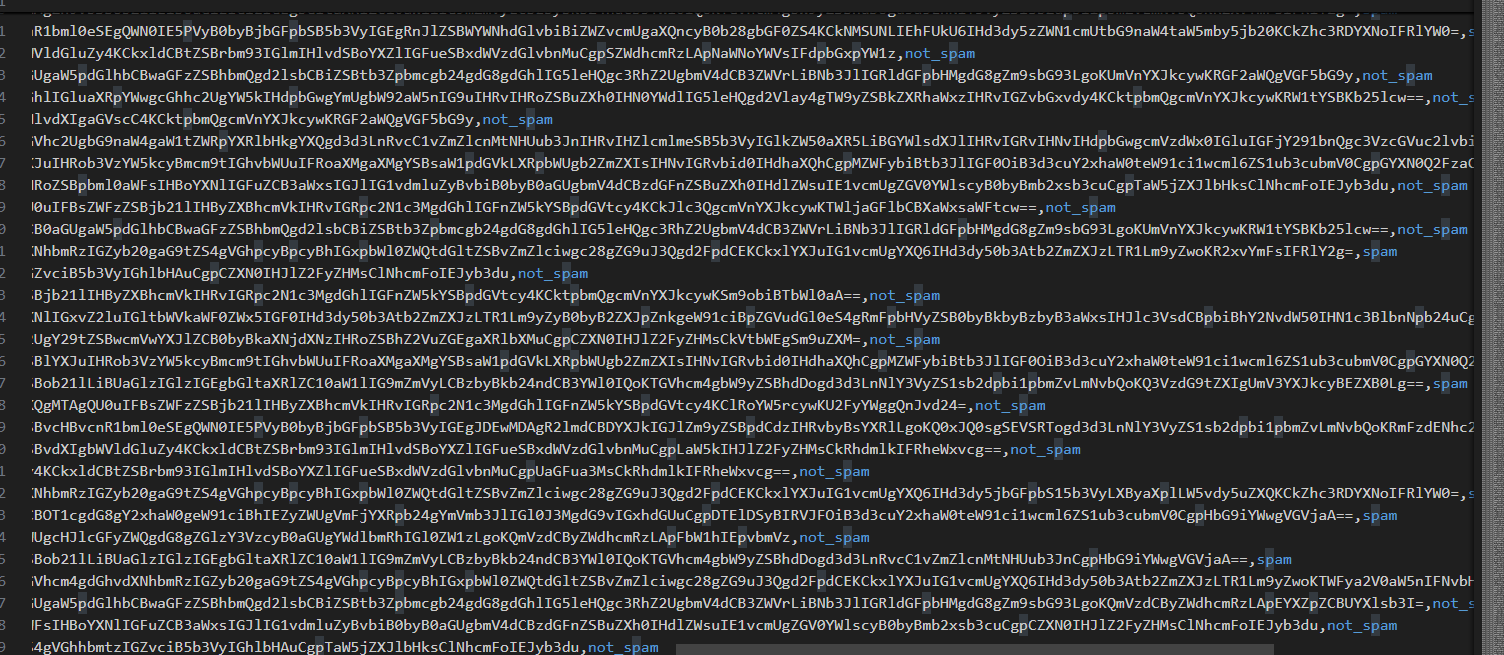 找到那个样本了在训练集里面多复制几个,加上not的标签
然后将这个在验证集中的编码复制到测试集,标签not_spam,复制几十行 上传训练集,就可以了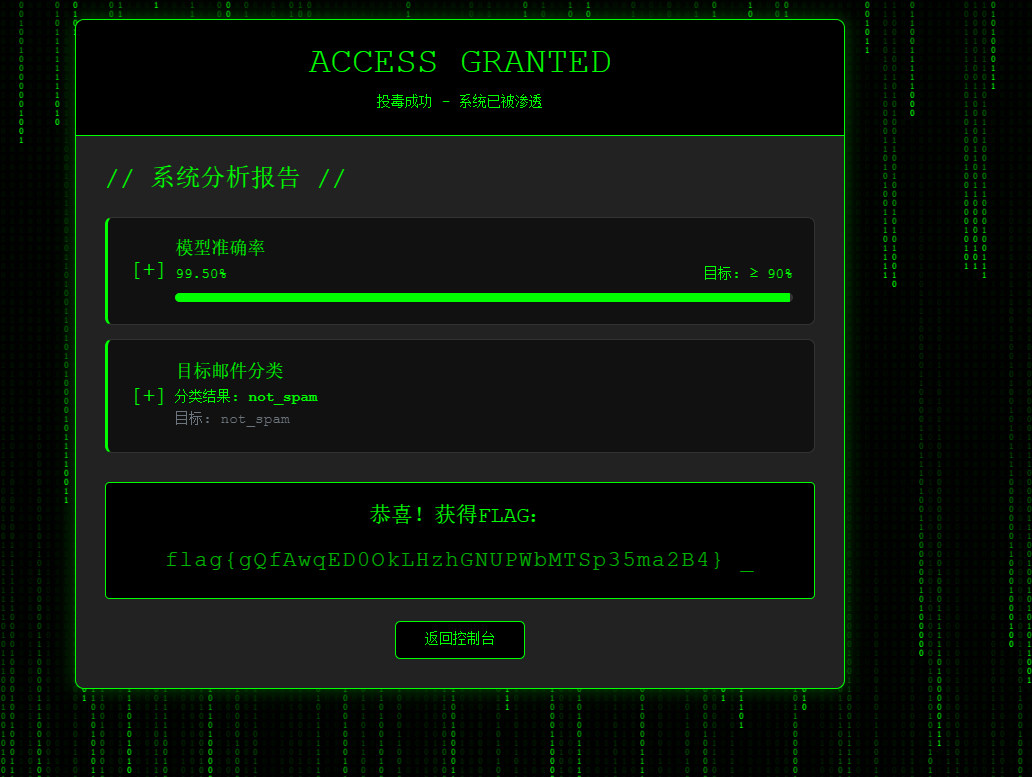 两个数 chal1.txt的内容 通过脚本: s = "1100001 000011 0111011 1110011 0100111 001011 0010111 1010111 100011 1000011 0010111 1001011 1111011 0111011 100001 100001 1001101 000011 1010111 1111101 0001011 1000011 0110111 110011 1111101 0000111 1000011 1100111 1100111 1010011 0010011 1111101 0010111 0001011 110011 1111101 0110011 1001011 0100111 1100111 0010111 1111101 0011011 110011 0110111 1010011 100011 100001 100001" # 省略
print(''.join(chr(int(c[::-1], 2)) for c in s.split()))
得到了level_2.zip的密码就是C0ngr4tu1ation!!Y0u_hav3_passed_th3_first_l3ve1!! 解压level_2.zip
得到:一个chal2.txt 和 level_3.zip 其中level_3.zip是有密码的
其中chal2.txt的内容是01111011011110110111101101111011011110111100100101011001100100010101100101110011000001011101100110001001111100110011100101011001001100010000010100110011111010011101000100000101001100111001000101101001101100011011000101111001000001010011001110010001011110011110100100000101010101011111001101100001 反转一下 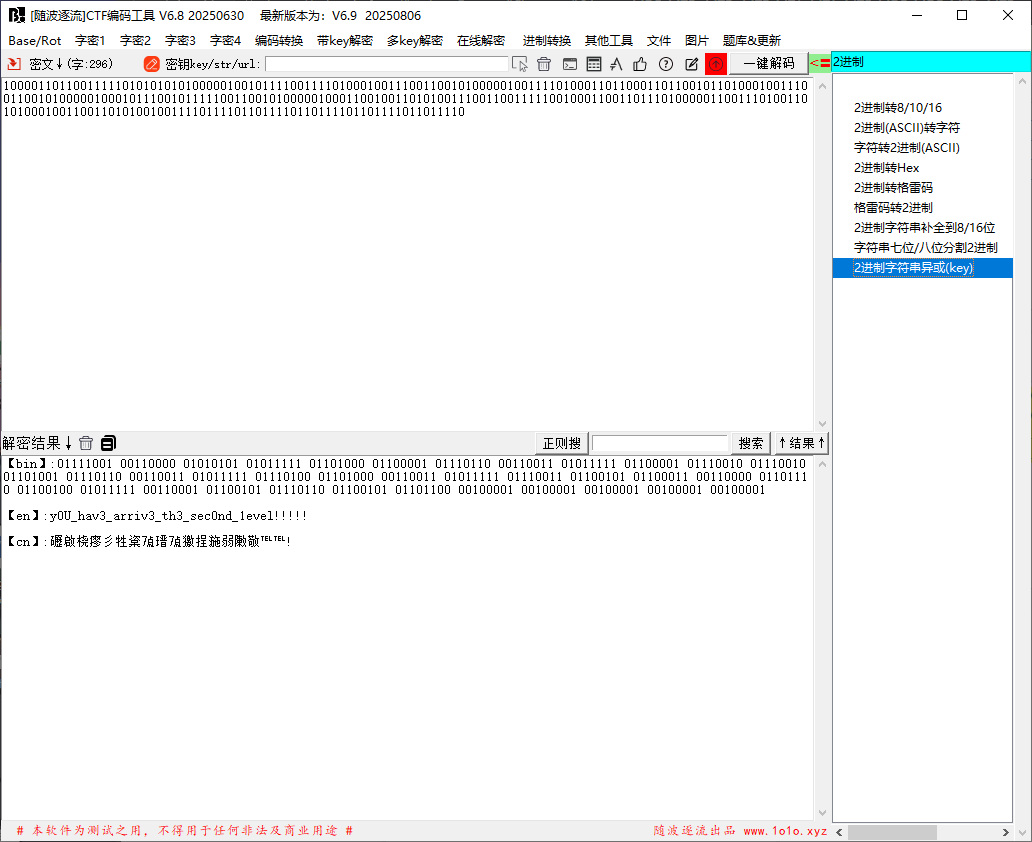
解密得到的密码是y0U_hav3_arriv3_th3_sec0nd_1evel!!!!! 第三层密码 Welc0m3_T0_l3ve1_thr3e!!!! 使用格雷码转二进制即可(注释有提示 def decode_custom_gray(binary_chunks):
"""
将自定义格雷编码的二进制块解码为ASCII字符串
参数:
binary_chunks: 二进制字符串列表,每个字符串代表一个编码块
返回:
解码后的ASCII字符串
"""
# 定义格雷码到四进制的映射规则
GRAY_TO_BASE4 = {
'00': '0',
'01': '1',
'11': '2',
'10': '3'
}
result = []
for chunk in binary_chunks:
# 跳过非偶数长度的块
if len(chunk) % 2 != 0:
continue
try:
# 将二进制块分割为2位一组
pairs = [chunk[i:i + 2] for i in range(0, len(chunk), 2)]
# 转换为四进制数字
base4_digits = []
for pair in pairs:
if pair in GRAY_TO_BASE4:
base4_digits.append(GRAY_TO_BASE4[pair])
else:
raise ValueError(f"无效的二进制对: {pair}")
# 将四进制转换为十进制
decimal_value = int(''.join(base4_digits), 4)
# 只保留可打印ASCII字符(32-126)
if 32 <= decimal_value <= 126:
result.append(chr(decimal_value))
else:
result.append('?')
except (ValueError, KeyError):
result.append('?') # 无效的二进制对
except Exception:
result.append('?') # 其他转换错误
return ''.join(result)
def main():
# 测试数据
binary_chunks = [
'01010110', '01110101', '01111000', '01110010', '100000', '01111001', '100010', '01011010', '01010100', '100000', '01011010', '01111000', '100010', '01100111', '01110101', '100001', '01011010', '01100100', '01111100', '01100011', '100010', '01110101', '110001', '110001', '110001', '110001'
]
decoded = decode_custom_gray(binary_chunks)
print("解码结果:", decoded)
if __name__ == "__main__":
main()
第四层01字符串转二维码 from PIL import Image
MAX = 600
#字符串长度
pic = Image.new("RGB",(MAX, MAX))
str = "数据省略"
i=0
for y in range (0,MAX):
for x in range (0,MAX):
if(str[i] == '1'):
pic.putpixel([x,y],(0, 0, 0))
else:
pic.putpixel([x,y],(255,255,255))
i = i+1
pic.show()
pic.save("flag.png")
扫码拿到密码y0u_g3t_th3_l4st_1ev3llllll!!!!! 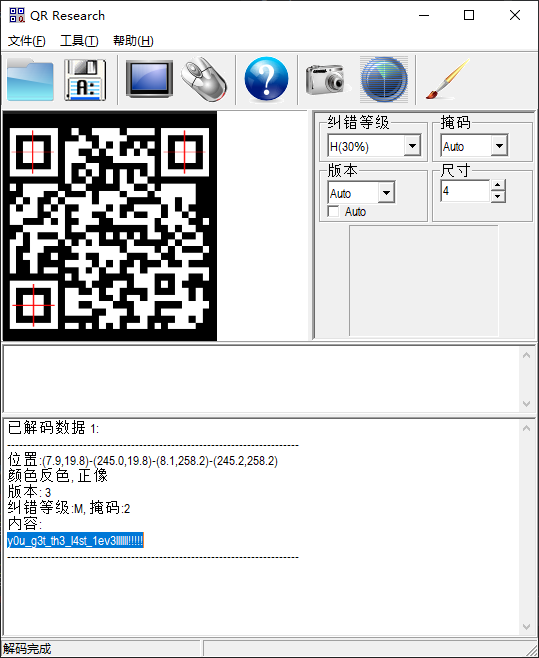
然后是文件夹名,文件名格式为 {bit}.{index}
 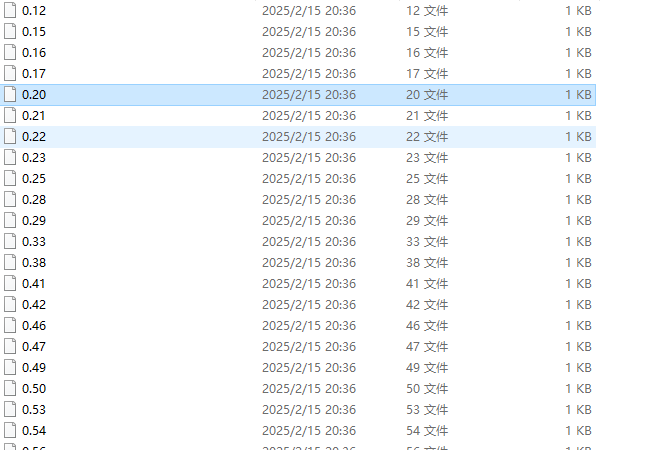
写个脚本解码: import os
import re
def recover_binary_string(directory='.', fill_missing=True):
"""从当前目录的文件名恢复二进制字符串,文件名格式为 `位.索引`(如 `0.123`、`1.336`)。
Args:
directory (str): 目标目录路径,默认为当前目录('.')。
fill_missing (bool): 如果索引缺失,是否补 `'0'`(默认补 `'0'`)。
Returns:
str: 恢复的二进制字符串。
"""
# 获取目录下所有符合条件的文件(索引 1-336)
files = [f for f in os.listdir(directory) if re.match(r'^[01]\.(?:[1-9]\d{0,2}|[1-9]?[0-9]|336)$', f)]
if not files:
print("当前目录中没有符合条件的文件(格式应为 `位.索引`,如 `0.123` 或 `1.336`)")
return ""
# 提取索引和位,并排序
bits_dict = {}
for filename in files:
bit, index = filename.split('.')
bits_dict[int(index)] = bit
sorted_indices = sorted(bits_dict.keys())
max_index = sorted_indices[-1]
# 构建二进制字符串
binary_str = []
for i in range(1, max_index + 1): # 索引从 1 开始
if i in bits_dict:
binary_str.append(bits_dict[i])
elif fill_missing:
binary_str.append('0') # 缺失则补 0
else:
raise ValueError(f"索引 {i} 缺失,无法恢复完整二进制字符串")
return ''.join(binary_str)
# 使用示例(自动处理当前目录)
binary_string = recover_binary_string(fill_missing=True)
print("恢复的二进制字符串:", binary_string)
#恢复的二进制字符串: 011001100110110001100001011001110111101100111001001100100110010100110011001100100011000101100001001100010010110100110100001100110110000100110111001011010011001000110110001101100011000100101101011000010110011001100101001101000010110100111000001100010011011000110101001100100011000101100010001101110011100000110010011001100011001101111101
最后二进制转字符即可 
flag{92e321a1-43a7-2661-afe4-816521b782f3} 数据安全 AES_Custom_Padding 给定的密钥和 IV 使用 AES-128-CBC 模式解密密文
直接写脚本 from Crypto.Cipher import AES
from base64 import b64decode
import sys
def decrypt_file(key, iv, ciphertext_b64):
# Convert key and IV from hex to bytes
key_bytes = bytes.fromhex(key)
iv_bytes = bytes.fromhex(iv)
# Decode Base64 ciphertext
ciphertext = b64decode(ciphertext_b64)
# Initialize AES-CBC cipher
cipher = AES.new(key_bytes, AES.MODE_CBC, iv_bytes)
# Decrypt the ciphertext
padded_plaintext = cipher.decrypt(ciphertext)
# Remove custom padding
# Find the position of 0x80 in the last block
last_block = padded_plaintext[-16:]
pad_pos = last_block.find(b'\x80')
if pad_pos == -1:
raise ValueError("Invalid padding - no 0x80 marker found")
# Verify padding bytes after 0x80 are all 0x00
for i in range(pad_pos + 1, 16):
if last_block[i] != 0x00:
raise ValueError(f"Invalid padding - non-zero byte at position {i}")
# If the 0x80 is in a previous block, it means we have a full block of padding
if len(padded_plaintext) > 16 and pad_pos == -1:
# Check if the entire last block is padding
if last_block[0] == 0x80 and all(b == 0x00 for b in last_block[1:]):
plaintext = padded_plaintext[:-16]
else:
raise ValueError("Invalid padding - full block padding not detected")
else:
# Remove padding from the last block
plaintext = padded_plaintext[:-(16 - pad_pos)]
return plaintext
if __name__ == "__main__":
# Given parameters
key = "0123456789ABCDEF0123456789ABCDEF"
iv = "000102030405060708090A0B0C0D0E0F"
ciphertext_b64 = "WU+8dpscYYw+q52uQqX8OPiesnTajq++AXj05zX3u9an27JZR9/31yZaWdtPM5df"
try:
plaintext = decrypt_file(key, iv, ciphertext_b64)
print("Decrypted plaintext:", plaintext.decode('utf-8'))
except Exception as e:
print("Error:", str(e))
sys.exit(1)
#Decrypted plaintext: flag{T1s_4ll_4b0ut_AES_custom_padding!}
DB_Log 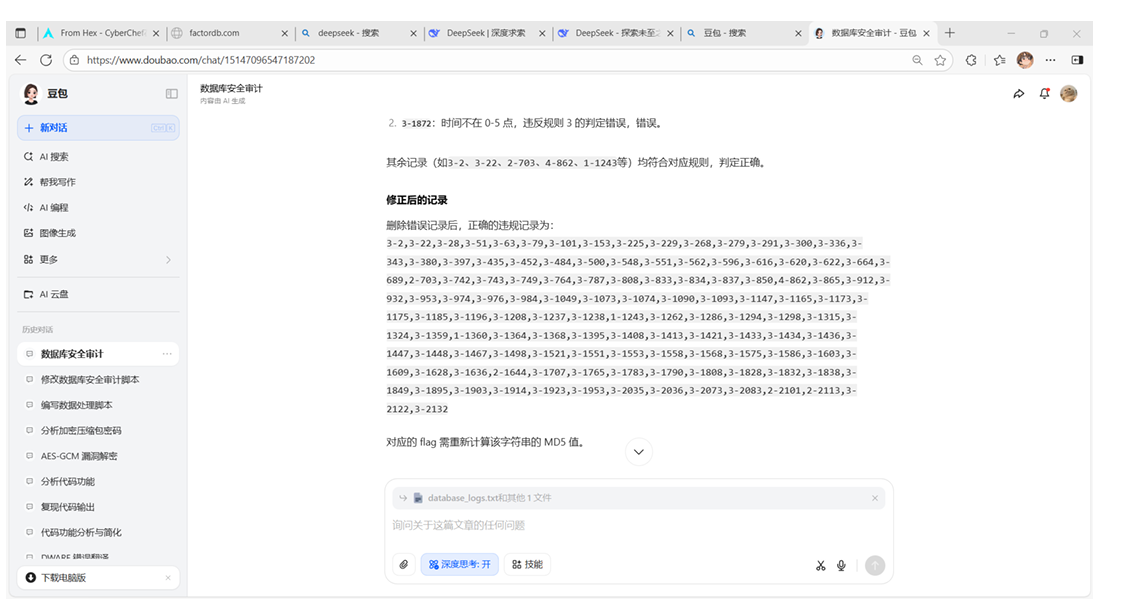
拷打AI,然后把3的删一遍
违规记录: 4-380,2-703,4-862,1-1056,1-1243,1-1360,3-1395,3-1433,3-1553,2-1644,3-1838,3-1872,2-2101,2-2113 flag{1ff4054d20e07b42411bded1d6d895cf} ACL_Allow_Count 根据题目要求写脚本:以下是一个用于统计符合allow规则的流量条数的 Python 脚本,脚本会按照 ACL 规则的匹配顺序(自上而下)进行判断: # 读取ACL规则
def load_rules(rule_file):
rules = []
with open(rule_file, 'r') as f:
for line in f:
line = line.strip()
if not line:
continue
parts = line.split()
# 规则格式:action proto src dst dport
rules.append({
'action': parts[0],
'proto': parts[1],
'src': parts[2],
'dst': parts[3],
'dport': parts[4]
})
return rules
# 匹配规则(自上而下first-match)
def match_rule(traffic, rules):
proto, src, dst, dport = traffic
for rule in rules:
# 匹配协议
if rule['proto'] != 'any' and rule['proto'] != proto:
continue
# 匹配源地址(此处简化处理,假设规则中为any或具体地址)
if rule['src'] != 'any' and rule['src'] != src:
continue
# 匹配目的地址(此处简化处理,假设规则中为any或具体地址)
if rule['dst'] != 'any' and rule['dst'] != dst:
continue
# 匹配目的端口
if rule['dport'] != 'any' and rule['dport'] != dport:
continue
# 命中规则
return rule['action']
# 无匹配规则,默认deny
return 'deny'
# 统计允许的流量条数
def count_allowed(traffic_file, rules):
allowed_count = 0
with open(traffic_file, 'r') as f:
for line in f:
line = line.strip()
if not line:
continue
# 流量格式:proto src dst dport
traffic = line.split()
# 确保流量格式正确
if len(traffic) != 4:
continue
# 匹配规则
action = match_rule(traffic, rules)
if action == 'allow':
allowed_count += 1
return allowed_count
if __name__ == '__main__':
# 加载规则和流量日志
rules = load_rules('rules.txt')
allowed = count_allowed('traffic.txt', rules)
# 输出结果(flag格式)
print(f'flag{{{allowed}}}')
#flag{1729}
SQLi_Detection 让AI写个脚本解题即可
import re

def is_sql_injection(line):

    line = line.lower()
    return (
        re.search(r"' *(or|and) ", line) or
        "' union select" in line or
        re.search(r"';", line)
    )

def count_sql_injections(file_path):
    count = 0
    with open(file_path, 'r', encoding='utf-8') as f:
        for line in f:
            if is_sql_injection(line.strip()):
                count += 1
    return count

if __name__ == "__main__":
    total = count_sql_injections("logs.txt")
    print(f"flag{{{total}}}")
Brute_Force_Detection - 日志解析:通过正则表达式解析每一行日志,提取时间、结果(SUCCESS/FAIL)、用户名和 IP 地址。
- 记录管理:为每个 IP 维护最近的尝试记录,并自动清理超过 10 分钟的旧记录,提高效率。
- 模式检测 :检查每个 IP 的最近 6 条记录是否符合以下条件:
(责任编辑:admin) |